DIY & Maintenance · 5 min read · 2 July 2026
How to Set Up a Smart Home: A UK Step-by-Step Guide (Costs, Kit & When to Stop)
The set-up order matters more than the brand: network first, one ecosystem, cheap wins, then security. An honest UK guide from people who maintain other households' smart kit for a living.
By the Nims Casa editorial team — written from professional cleaning experience and checked against our editorial standards.
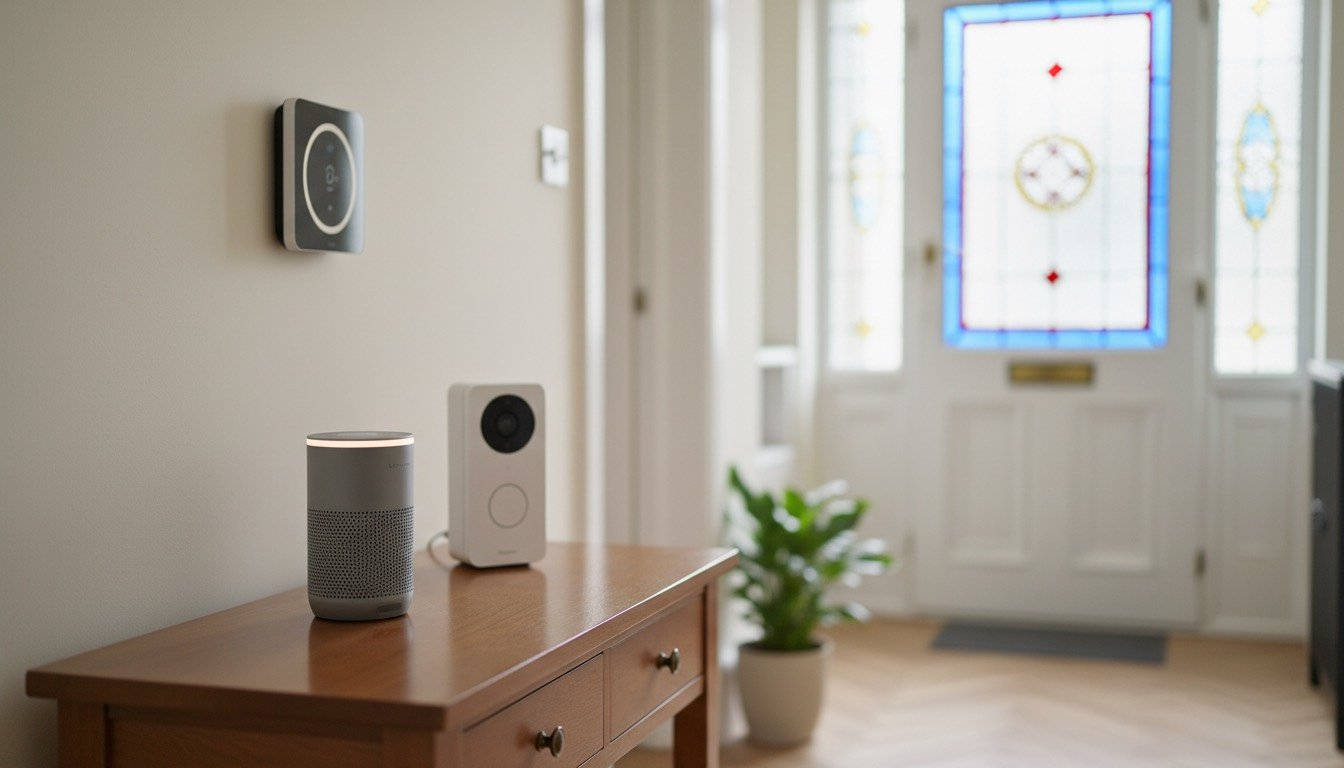
We spend our working week inside other people's homes, which means we see more smart home kit than most electricians do — the doorbells that never miss a parcel, the £180 hubs gathering dust in drawers, the cameras pointed at nothing useful. The difference between a smart home that quietly earns its keep and an expensive box of frustrations is almost never the brand. It is the order you set things up in.
This is how to set up a smart home in a typical UK house — terraced, semi or flat — in the sequence that actually works: network first, one ecosystem, cheap wins, then security. Expect £120–£180 for a useful starter setup, or £600–£1,200 for the full job with a video doorbell, smart lock, thermostat and a couple of cameras.
Before You Start: Time, Cost and Skill Level
Nothing here needs an electrician if you stick to plug-in and battery-powered kit. The moment a job involves fixed mains wiring — a wired doorbell transformer, a thermostat receiver at the boiler, a hardwired camera — it moves into competent-person territory, and we draw that line below.
- •Time: 2–3 hours for the basics; a full weekend for doorbell, lock and cameras
- •Cost: £120–£180 starter (hub, four plugs, four bulbs); £600–£1,200 for the works
- •Skill level: beginner for plugs and bulbs; confident DIYer for doorbell and lock
- •Tools: drill with 6mm masonry bit, screwdrivers, spirit level, stepladder
- •Materials: wall plugs, lithium AA/AAA batteries, a microfibre cloth for lenses
- •Admin: one household account shared properly (not everyone piggybacking on one login)
Step 1: Fix the Wi-Fi Before You Buy Anything
Nine out of ten 'faulty' smart devices we meet in client homes are Wi-Fi problems. UK routers get shoved into hallway cupboards or behind the telly, and a doorbell on the front wall can be four courses of solid brick away from it. Walk to every spot you plan to install something — front door, boiler, landing — and check your phone holds two bars of Wi-Fi there.
If it does not, sort that first. A mesh Wi-Fi system from around £90 fixes dead zones properly and saves hours of ghost troubleshooting later. One more quirk: most budget smart devices only speak 2.4GHz, so if your router broadcasts a single combined network name, leave it that way — separate 5GHz-only networks cause half of all failed setups.
Step 2: Pick One Ecosystem and Stick to It
Choose Amazon Alexa, Google Home or Apple Home before you buy a single bulb, then make every purchase compatible with it. Mixed households — a doorbell from one brand, cameras from another — end up running four apps and automations that cannot talk to each other. Home automation only feels like magic when one app rules everything.
A smart hub is the brain that ties it together, and for most people a smart speaker doubles as one: an Echo costs £55–£110 and newer models carry Thread radios and Matter support. Matter is the badge worth insisting on in 2026 — certified kit works across all three ecosystems, so you are never locked in. Only heavier setups (30-plus devices, Zigbee sensors, smart radiator valves) justify a dedicated hub such as SmartThings. And when it comes to picking specific models, our sister site Zen Tech Hub reviews robot vacuums, video doorbells, security cameras and smart thermostats in depth — useful before you commit an ecosystem's worth of money to one brand.
Step 3: Cheap Wins — Plugs, Bulbs and Heating
Start with smart plugs at £8–£12 each: lamps on sunset schedules, the iron and straighteners on a 'switch everything off' routine, a dehumidifier on a timer. They are also the cheapest burglary deterrent going — lamps following a realistic evening pattern beat any fake-TV gadget.
Smart bulbs (£9–£15) go where you want dimming or colour without rewiring; keep the wall switch taped or trained on, because a flicked switch takes the bulb offline. The biggest running-cost win is a smart thermostat — Tado, Hive or Nest at £120–£220, plus £80–£120 fitted — which typically trims 8–15% off gas bills through scheduling and geofencing alone. Pair it with basic draught-proofing and you will feel it within a month.
Step 4: Security — Doorbell, Cameras and a Smart Lock
A battery video doorbell (£50–£100) is the sensible first security purchase: no wiring, just a 6mm masonry bit, four wall plugs and 20 minutes. Mount it 1.2m from the ground, angled across the approach rather than straight out. Wired versions need an 8–24V transformer most UK homes do not have — that one is an electrician job.
With a security camera, position beats resolution. Cover the side gate and back door, where most UK burglaries actually start, not the front garden. If a camera captures beyond your boundary — pavement, a neighbour's garden — UK GDPR applies to you as an operator, meaning signage, honest answers to neighbours and footage kept no longer than needed. Point cameras at your own property and the argument never starts.
Smart locks confuse UK buyers because most advice online is American. Our multipoint doors with euro cylinders need a retrofit model — Yale Linus or Nuki, £130–£230 — that turns the existing cylinder rather than replacing the mechanism. Two non-negotiables: keep a TS007 3-star or SS312 diamond-rated cylinder so your home insurance stays valid, and always retain a physical key override that works from outside.
DIY vs Pro: Where to Draw the Line
The honest rule: anything that plugs in, screws to masonry or runs on batteries is DIY. Anything involving fixed mains wiring is not — wiring a doorbell transformer into a lighting circuit, swapping standard sockets for smart sockets, connecting a thermostat receiver at the boiler. In England and Wales, notifiable electrical work falls under Part P of the Building Regulations, and unqualified work can void insurance and cause grief at sale time.
Budget £45–£80 an hour for an electrician; a thermostat receiver install is usually an hour's work. Know the stop signals too: any burning smell, a circuit breaker that keeps tripping after an install, or a doorbell transformer that buzzes or runs hot. Down tools and call someone qualified.
Maintenance: The Part Everyone Skips
Smart kit fails slowly, then suddenly — and almost always because of flat batteries or filthy lenses. We wipe more grimy doorbell cameras than we can count: a dry microfibre cloth once a month keeps the image sharp, and never spray cleaner directly at a lens or speaker grille. If a robot vacuum has joined the family, empty its bin and pull hair off the brush roll weekly, or both its mapping and suction quietly degrade.
Then the quiet costs: cloud video storage runs £4–£8 a month per brand — another argument for a single ecosystem — and battery doorbells need charging every 6–12 weeks in a busy household. Set a quarterly calendar reminder: charge and swap batteries, run firmware updates, test the smart lock's manual key, and check any interlinked or smart smoke alarms — a chirping smoke detector is always telling you something specific. Fifteen minutes, four times a year, and the whole system stays boring in the best possible way.
Found this useful?
There's plenty more — hundreds of guides and honestly-tested product reviews for every corner of your home.
Browse All Guides