Heating & Cooling · 6 min read · 15 July 2026
How to Program a Thermostat: Timers, Room Stats and Smart Controls (UK Guide)
Most British heating schedules were set once, badly, years ago. Work out which controls you actually have, then set times and temperatures that cut the gas bill without making the house cold.
By the Nims Casa editorial team — written from professional cleaning experience and checked against our editorial standards.
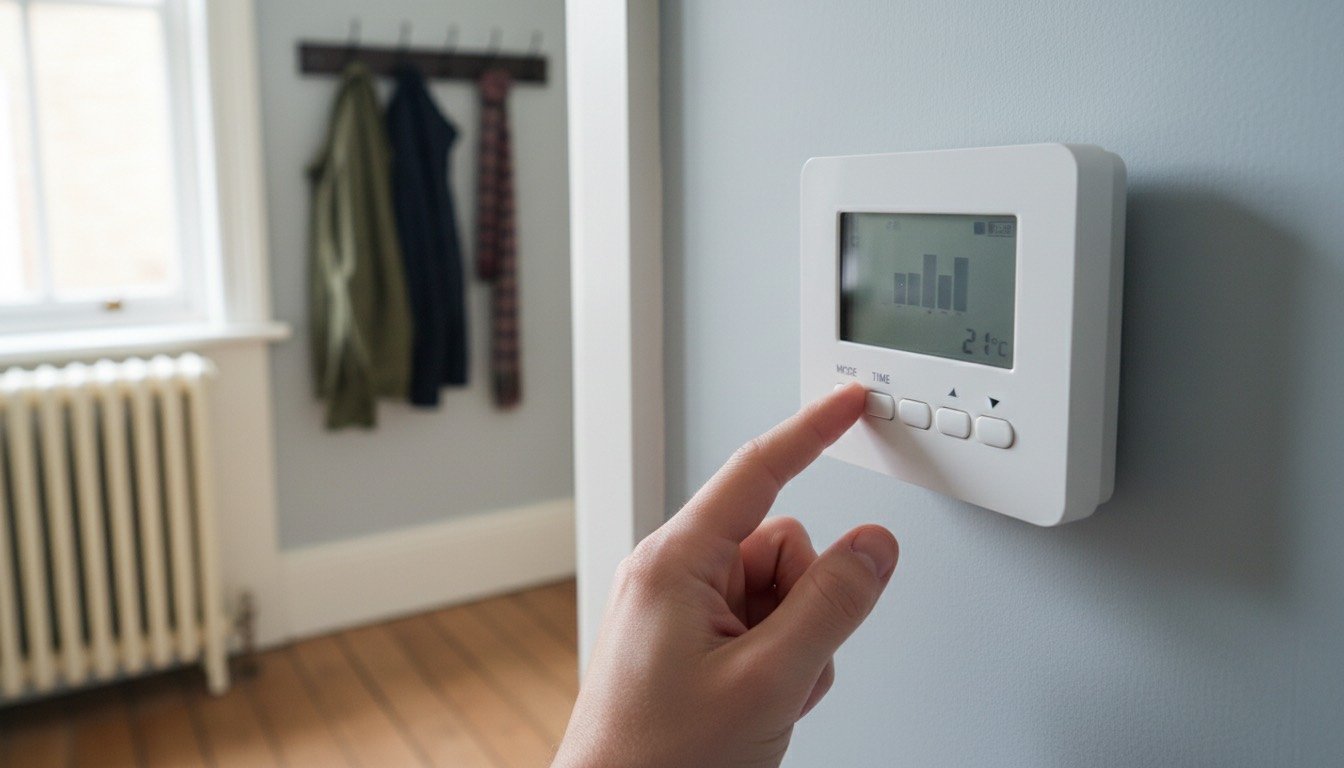
Heating controls are the cheapest energy upgrade in the house and the one almost nobody touches. Walk into ten British homes in January and six are running a schedule somebody's predecessor set: 6am to 10pm, seven days a week, 22°C on the dial, hot water heating round the clock because nobody was sure which channel did what. If your real question is when the schedule should start running at all this autumn, see when to turn the heating on.
Before you press a button, work out what you are dealing with. Half the complaints we hear — cold bedrooms, a boiler that never stops, bills that don't match the number on the wall — are not schedule problems, and reprogramming will not touch them. The diagnostic below takes ten minutes.
Step One: Identify the Controls You Actually Have
Walk the house and find every device that can tell the boiler to fire. There are usually two or three, and they often argue with each other.
- •Programmer or timer only — a box by the boiler or in the airing cupboard. It sets times, not temperatures, so the boiler runs flat out whenever the clock says on.
- •Programmer plus a separate wired room stat, usually a round dial in the hall. The programmer decides when, the dial decides how warm; setting only one is the commonest mistake.
- •Programmable room thermostat — a single wall unit with times and temperatures in the same menu. Standard in anything rewired since roughly 2005.
- •Smart thermostat — wall unit, a receiver wired near the boiler, and an app. The app schedule is master; the wall unit is usually just an override.
- •Thermostatic radiator valves — the numbered dials on radiators. They cap one room's temperature but cannot switch the boiler on.
Step Two: Match the Symptom to the Cause
Now match what your house does against the list below, ordered by how often we find each cause. Two channels on the programmer, marked HEATING and WATER, means a boiler feeding a hot water cylinder; one channel means a combi, which needs no hot water schedule.
- •Heating never comes on: the programmer sits in OFF or a manual mode rather than AUTO, the wireless stat has flat cells, or the clock is an hour out after the BST changeover.
- •Boiler runs constantly and the house still isn't warm: the stat is set higher than the system can deliver, or it hangs in a draughty hallway and never gets satisfied.
- •Rooms warm too late: the schedule starts when you want the room warm, not when the system needs to begin. A typical UK semi gains 1-2°C an hour.
- •One room cold, the rest fine: not a programming fault. That is TRVs, balancing or trapped air — see why one room is colder than the rest.
- •Comfortable house, brutal bills: usually boiler flow temperature and over-long run times, not the schedule.
- •Hot water but no heating, or the reverse: one channel of a two-channel programmer is switched off.
Safety First
Programming through the keypad or app carries no electrical risk. Taking a thermostat off the wall is a different job.
- •Removing a wired stat means working on a live 230V circuit. Isolate at the fused spur or consumer unit and prove it dead with a voltage tester.
- •Never open the boiler casing or touch the wiring centre and motorised valves. That is Gas Safe territory and will void the warranty.
- •Photograph the terminal block before loosening a screw. Wiring colours in older UK installations rarely match a new unit's diagram.
- •Leave the cylinder thermostat at 60°C. Running it cooler to save pennies is a genuine Legionella risk.
- •Call an electrician if you find scorching, melted insulation or a burnt smell at the backplate.
Tools, Time and What It Costs
Reprogramming an existing unit takes 15-20 minutes and costs nothing. Swapping a like-for-like programmable stat is 45-90 minutes plus £30-£70 for the unit; Drayton, Honeywell Home and Salus all sit there. A smart kit is £120-£220, plus £90-£160 labour to fit it. We compare the two in smart thermostat vs programmable thermostat.
- •The manual for your exact model — the number is on the faceplate or under the cover, and nearly all are free PDFs.
- •Two fresh AA or AAA alkaline cells for a wireless stat, about £3, replaced annually whether it complains or not.
- •A 3mm flat-blade screwdriver and a voltage tester (£10-£20), only if wiring is coming off the backplate.
How to Program a Thermostat, Step by Step
- •Set the clock and day first. Get British Summer Time wrong and everything after it is an hour out; mechanical pin programmers have no automatic changeover.
- •Choose the schedule mode: 24-hour, 5/2 (weekdays and weekend), or 7-day. Pick 7-day if anyone works from home on a fixed day.
- •Start the first heating period 45 minutes before you want the room warm, and end it 30 minutes before you leave or go to bed — radiators keep giving out heat after the boiler stops.
- •Set 20°C in the main living area and 18°C elsewhere. Every 1°C off is worth roughly £80-£100 a year on a typical gas-heated UK home.
- •Use a setback, not off. Holding 15-16°C overnight beats letting a solid-wall terrace fall to 12°C and clawing it back.
- •With a hot water channel, heat the cylinder for 45-60 minutes before the morning showers, plus a short afternoon reheat only if you actually run out.
- •Drop the boiler's flow temperature to 55-60°C on a condensing combi — the radiator-symbol dial on the boiler, not the thermostat. It lets the boiler condense properly and typically saves 6-8% of gas.
- •Run it a full week before changing anything else. Turn down the TRVs in rooms that overshoot rather than dropping the whole house a degree.
Troubleshooting a Schedule That Isn't Working
- •Schedule saved but nothing fires: a HOLIDAY, HOLD or manual override is still active. These silently outrank the programme and can sit there for weeks.
- •Boiler fires at odd hours: a second control is still calling for heat, usually an app schedule running alongside an old programmer left in ON.
- •Blank display: batteries first, then the 3A fuse in the fused spur. Both fail more often than the stat itself.
- •Wireless stat has lost the boiler: re-pair it per the manual. Through a thick party wall, range is usually the culprit.
- •Programme runs but radiators are lukewarm at the top: air in the system. Bleed the radiators and re-pressurise the boiler before blaming the controls, and clear the dust from the fins while it's off. The other free setting worth checking is the boiler flow temperature, which no schedule can compensate for.
- •Everything behaves and the house is still cold: the controls have done all they can. Draught-proofing is the next cheapest move, alongside a proper winter heating system checklist.
When to Stop and Call a Professional
Programming is DIY. The boiler's internals, the wiring centre, the motorised valves on an S-plan or Y-plan, and any new receiver wiring are not — those are Gas Safe engineer jobs, usually under two hours at £90-£160.
Stop if the boiler throws a fault code and locks out, if the wiring behind the old stat matches no diagram in the new instructions, or if the system fires with the programmer switched off. That last one points to a stuck motorised valve or a wiring fault, which no amount of reprogramming will fix.
Found this useful?
There's plenty more — hundreds of guides and honestly-tested product reviews for every corner of your home.
Browse All Guides